
How To Create a Trading Account at ePlanet Brokers | ePlanet brokers
you must first open your preferred trading account from your personal panel. In this tutorial you will learn the following: Create a Trading Account

Creating a Trading Account at ePlanet Brokers
Log in to your ePlanet Brokers user panel.
👉 Open Your Trading Account in Minutes (Watch Guide)
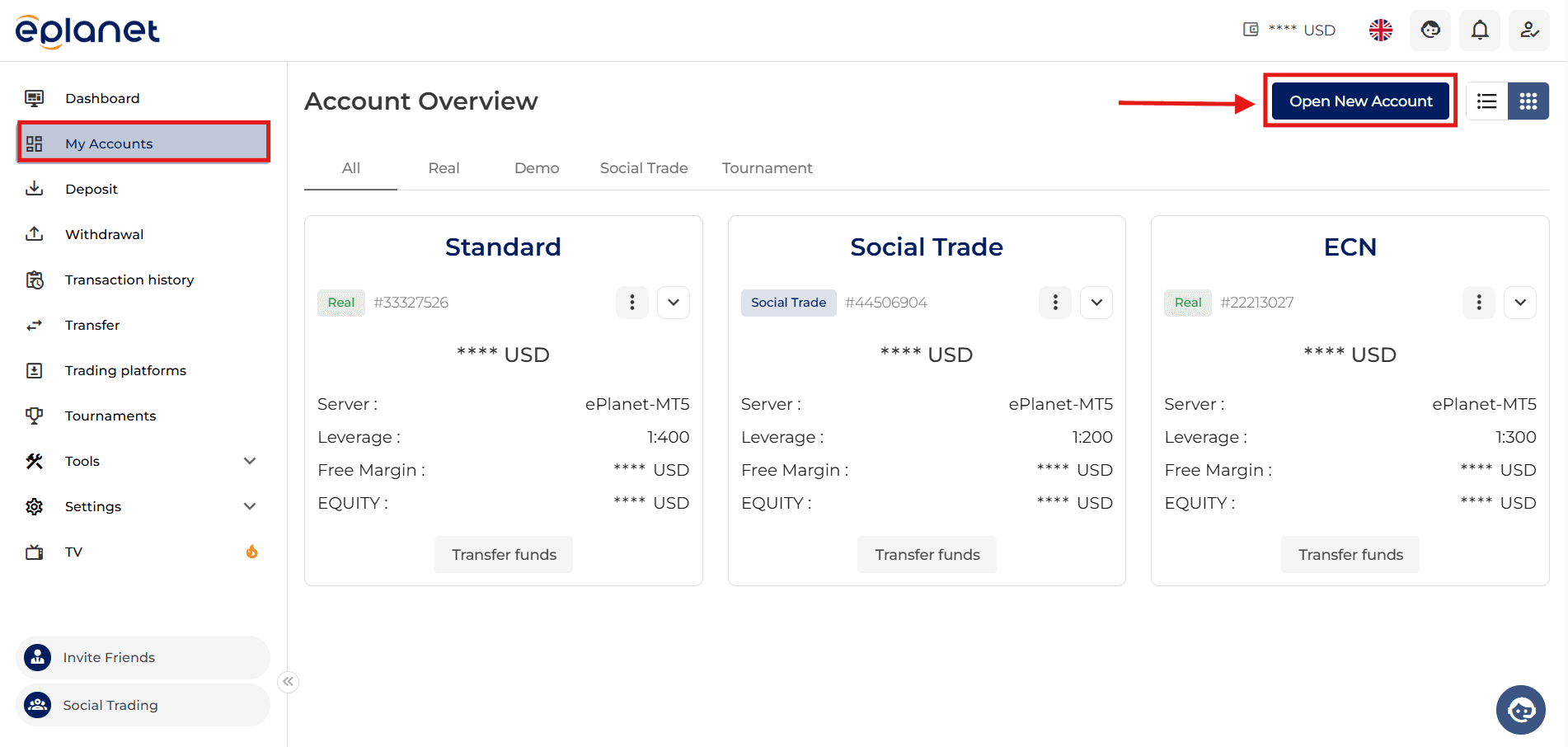
From the side menu in your user panel,
select My Accounts.
If you already have a trading account with ePlanet Brokers, you can view the details of your existing accounts in this section.
To open a new trading account, click on Open New Account.
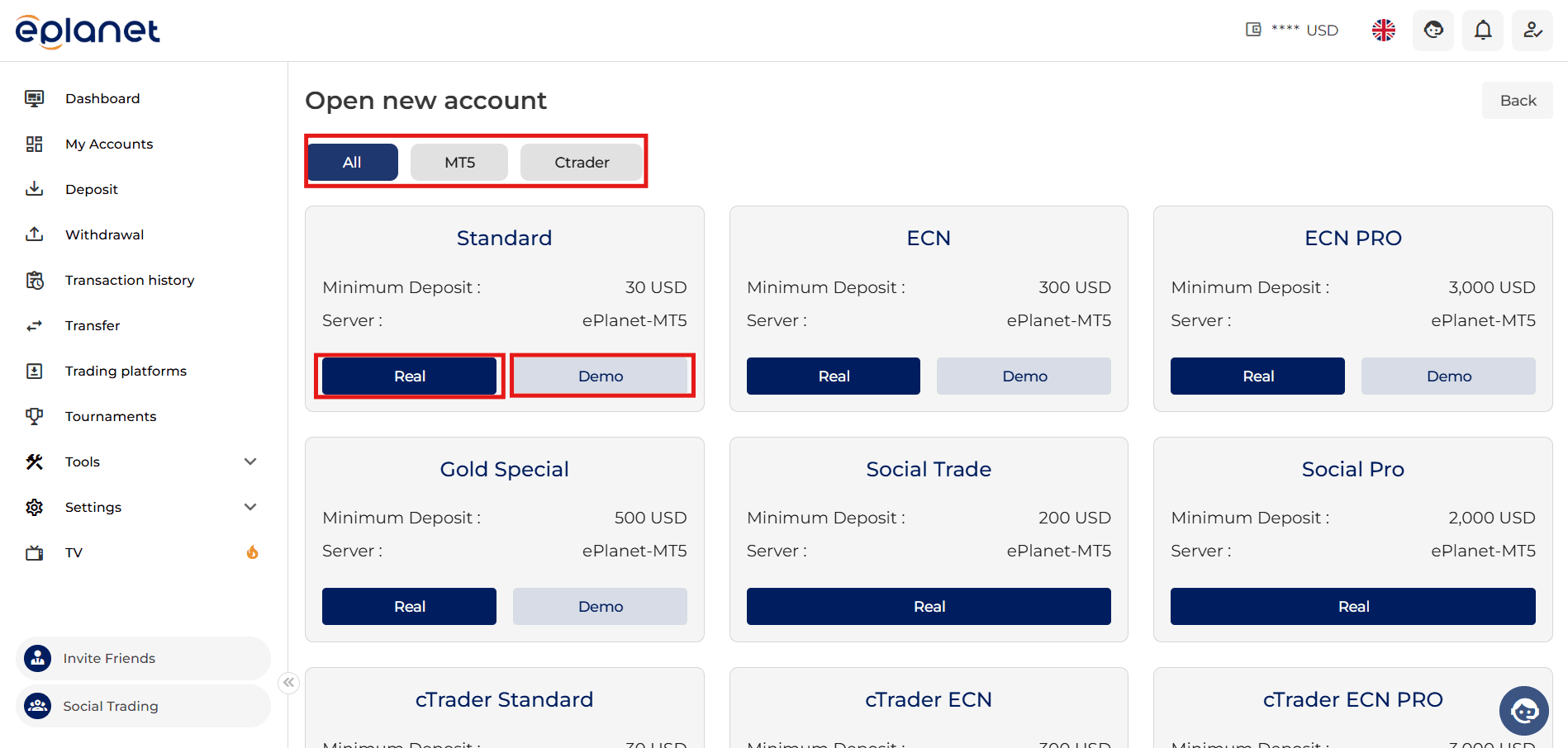
On the new page, first select your preferred trading platform from MetaTrader 5 or cTrader.
In this section, choose the account type from Live (Real) or Demo.
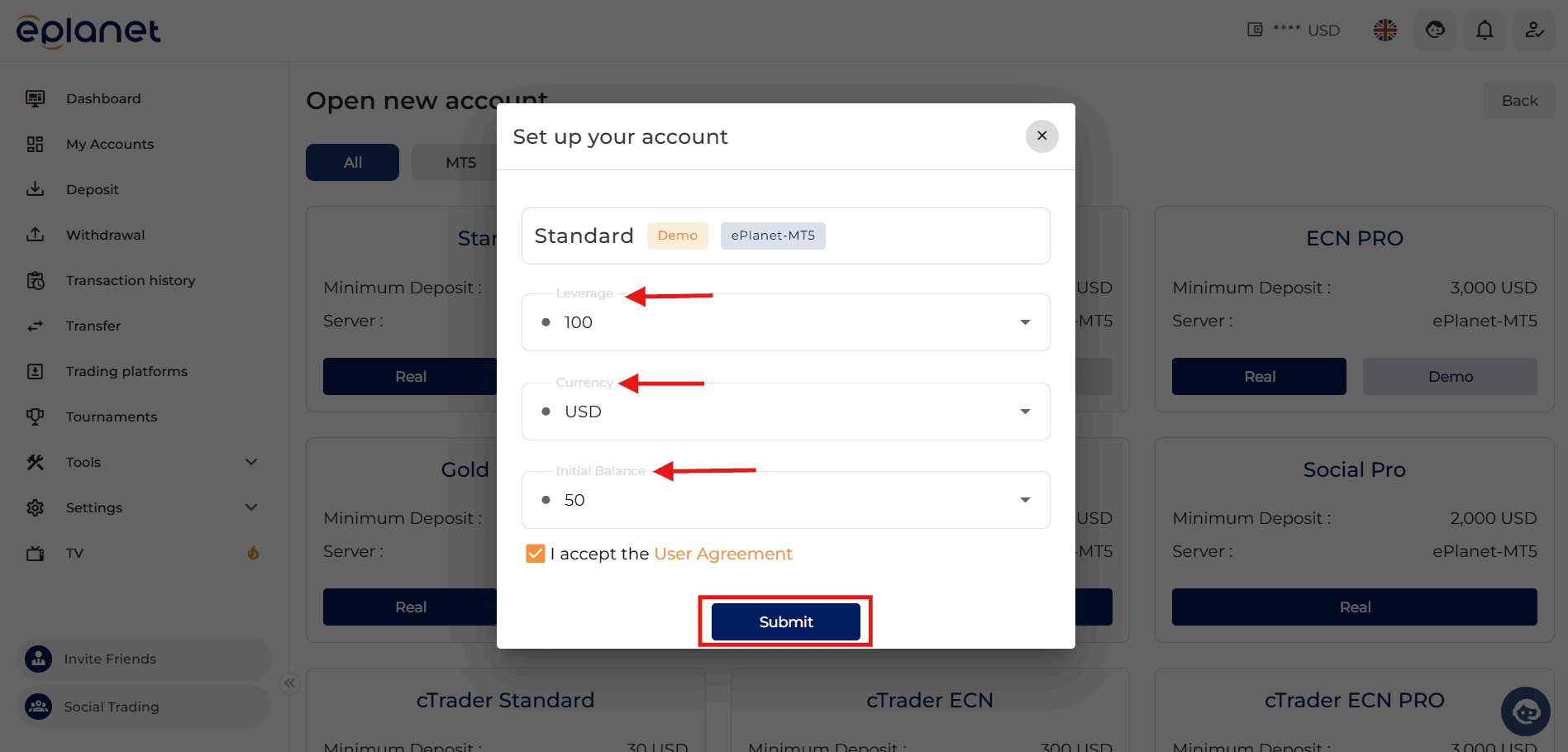
In the next step, specify the leverage for your trading account.
Finally, after making sure all selected options are correct, click on Submit.
At this stage, your trading account request will be sent to the ePlanet Brokers team.
To access the details of the account you have opened, including the account number and password, please check your email.
Save your trading account number and password so that you can connect to your trading account whenever needed.
Return to the My Accounts section again.
Now, the information of the trading account you have created will be visible in this section.
You can also edit your trading account details from this page if needed.
Please note: when making any changes to a trading account, make sure there are no open trades on the related account.