
How to Register for an Account at ePlanet Brokers | ePlanet brokers
In order to Register for an account at ePlanet Brokers, first visit www.ePlanetBrokers.com and click on Sign up. In the new window that has been opened for you

Registration with ePlanet Brokers
Go to the ePlanet Brokers website
👉 Get Started with eplanet brokers (Watch How to Register)
and click on the Register option.
To register with ePlanet Brokers, enter the website and click on the Register option.

Then enter your personal information:
- Select your gender
- Enter your first and last name
- Please make sure to enter an email address that you have access to,
otherwise you will not be able to receive emails sent by ePlanet Brokers.
Therefore, make sure to enter your email address correctly. - Select your country of residence and enter your mobile phone number.
- In the password field, enter your desired password.
Please note that the password you choose must include:
- Uppercase and lowercase English letters
- Numbers
- Symbols
The password must be at least 8 characters long and include at least:
one uppercase letter, one lowercase letter, one number, and one symbol.
For the security of your account, please do not share this password with anyone.
Finally, after carefully reading and accepting the terms and conditions, check the relevant box and click on Register.
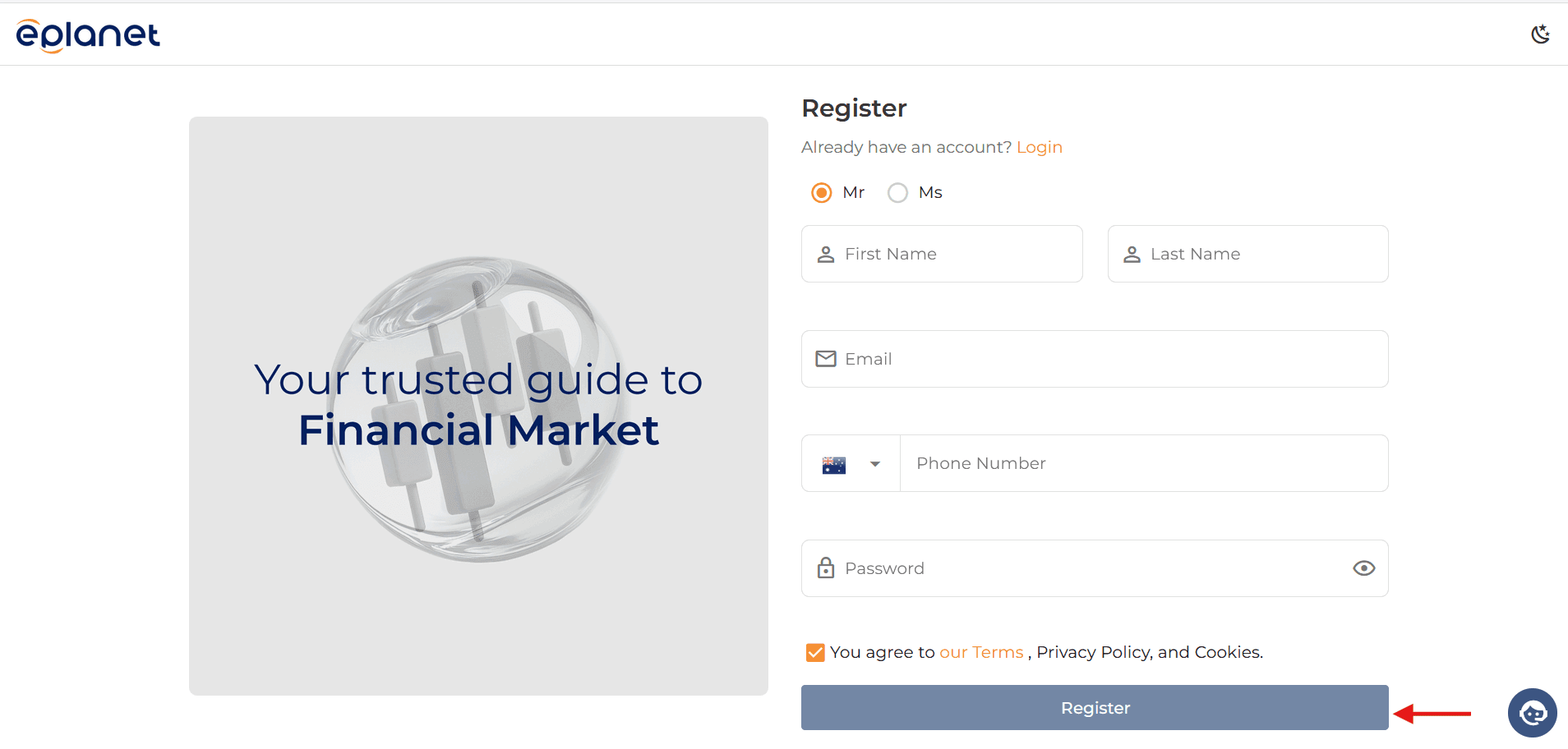
On the new page,
you will have 60 seconds
to enter the code sent to your email address.
To do this:
- Go to your email inbox
- Emails from ePlanet Brokers may be found in the Inbox or Spam folder
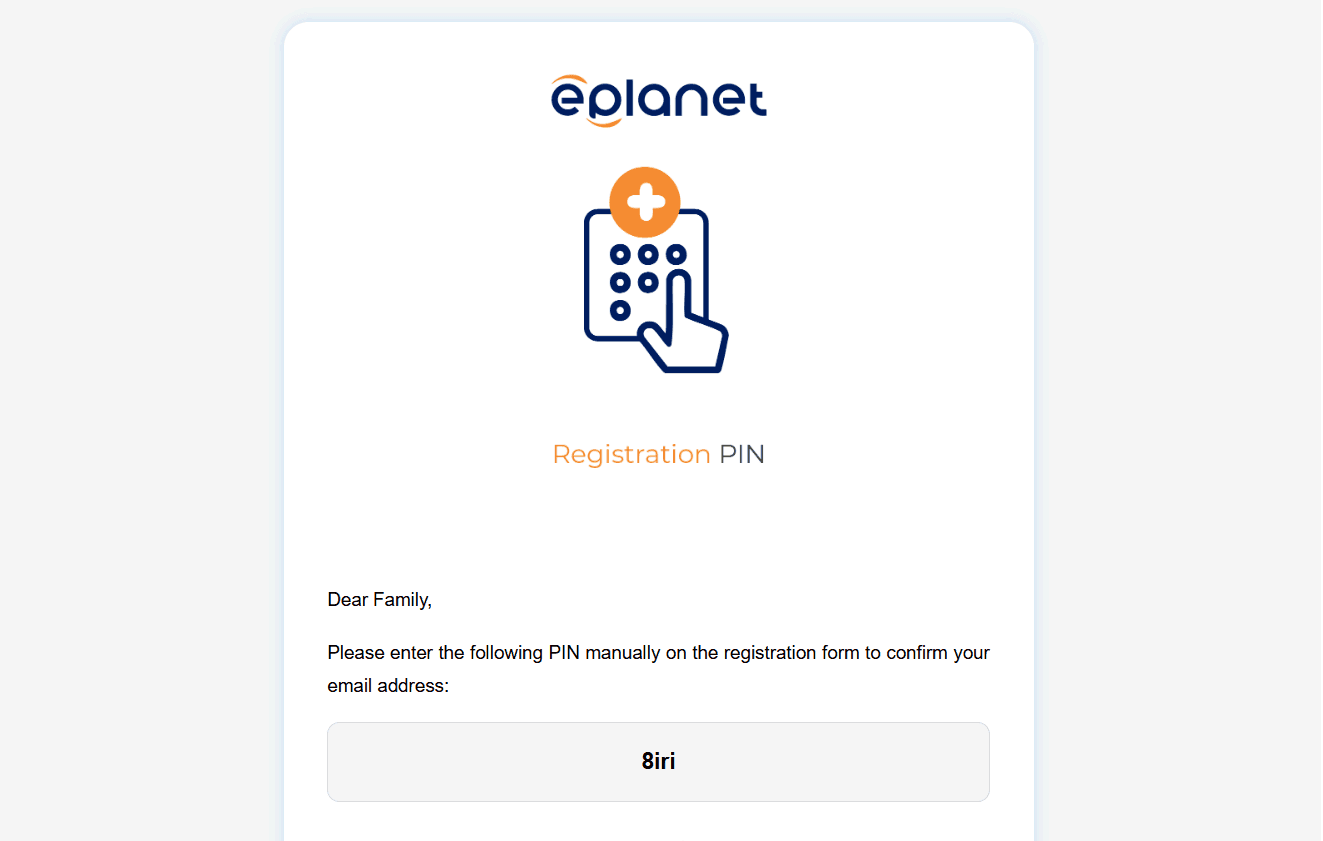
Copy the sent code and return to the main page, then enter the code.
Next, click on Confirm.
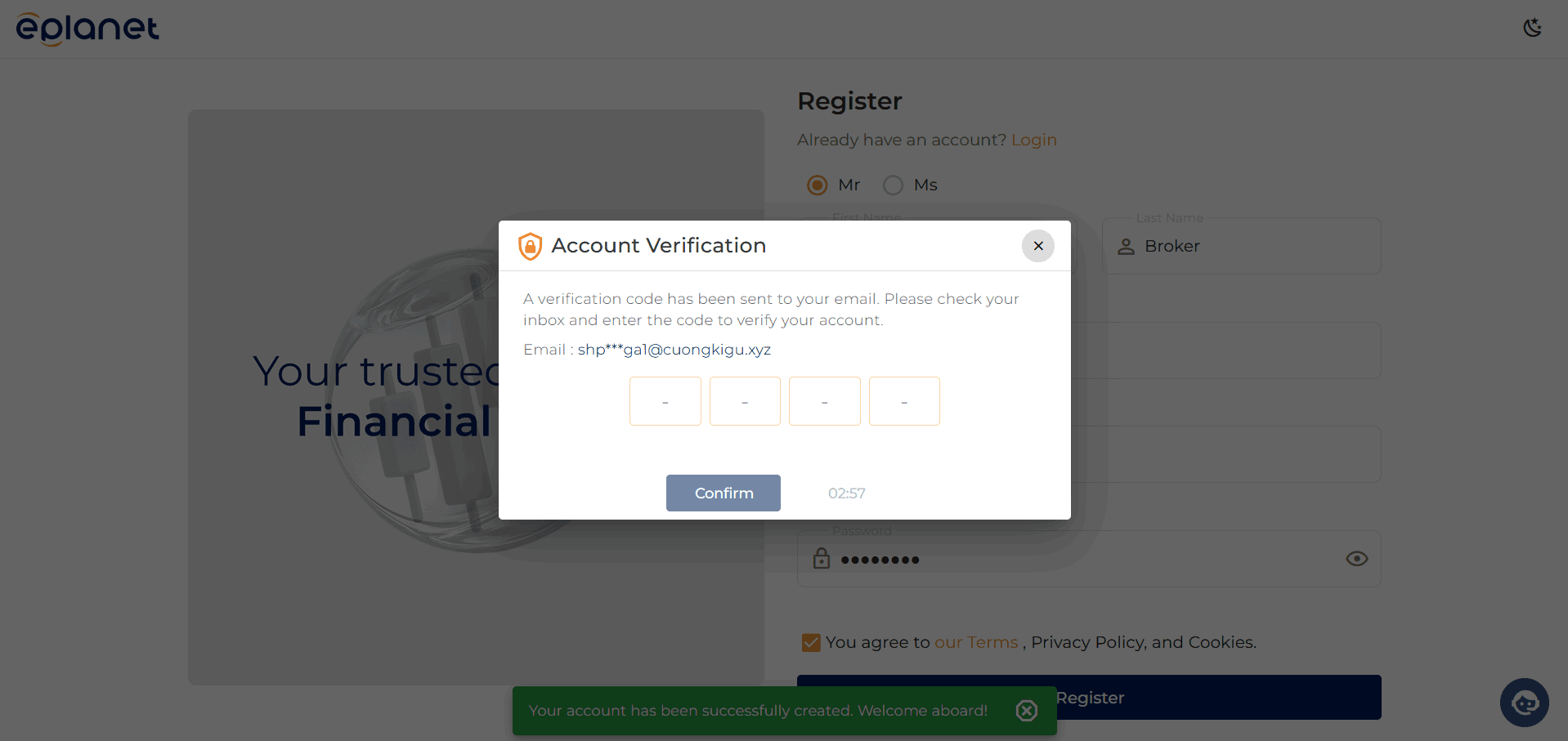
Your registration process is now complete, and your password has been sent to your email.
At this stage, enter your registered email address and the password sent to your email, then click on Login.
You have now successfully entered your user panel at ePlanet Brokers.
