
Basic understanding of forex trading platforms
There are several trading platforms available that allow trading in the forex market. The three platforms MT4, MT5 and cTrader are particularly popular.
A trading platform is the software that connects you to the forex market. Without it, there is no chart, no order, and no trade. Every position you open, every stop loss you set, and every price you see on your screen runs through it. Most beginners spend a lot of time choosing a strategy and very little time thinking about which platform they are actually going to use. That order tends to get reversed once you have real money on the line. The platform is not just a window into the market. It is the tool you will use under pressure, in fast conditions, when every second counts. Choosing the right one from the start saves you the friction of switching later.
Key Takeaways
- A trading platform is software that connects your account to the forex market and executes your orders.
- MT4, MT5, and cTrader are the three most widely used platforms in retail forex.
- MT5 supports 21 timeframes and multi-strategy backtesting. MT4 supports 9 timeframes and is simpler to learn.
- cTrader was designed for ECN accounts and offers Level 2 market depth, making it the preferred platform for scalpers.
- Platform execution quality matters as much as spread figures, particularly during high-volatility sessions.
What Can You Trade in Forex
The forex market isn’t limited to just currency pairs. While major pairs like EUR/USD, GBP/USD, and USD/JPY form the core of forex trading, many brokers now offer a diverse range of instruments. Traders can also access commodities (such as gold, silver, and oil), major stock indices, cryptocurrencies, as well as options and futures. This variety allows for portfolio diversification and the opportunity to capitalize on global economic trends. Understanding what you can trade in forex is essential for choosing the right broker and developing effective trading strategies.
Read More: Forex Market Advantages: High Liquidity, Speed and Low Costs
Introducing and comparison of popular trading platforms MT4, MT5 and cTrader
Many traders are familiar with the three platforms MT4, MT5 and cTrader due to their easy access and common use in the forex market, and therefore many forex brokers have also tried to offer their services on one or more of them. In the following, each of them will be introduced and expressed the characteristics of each.
MetaTrader 4 (MT4)
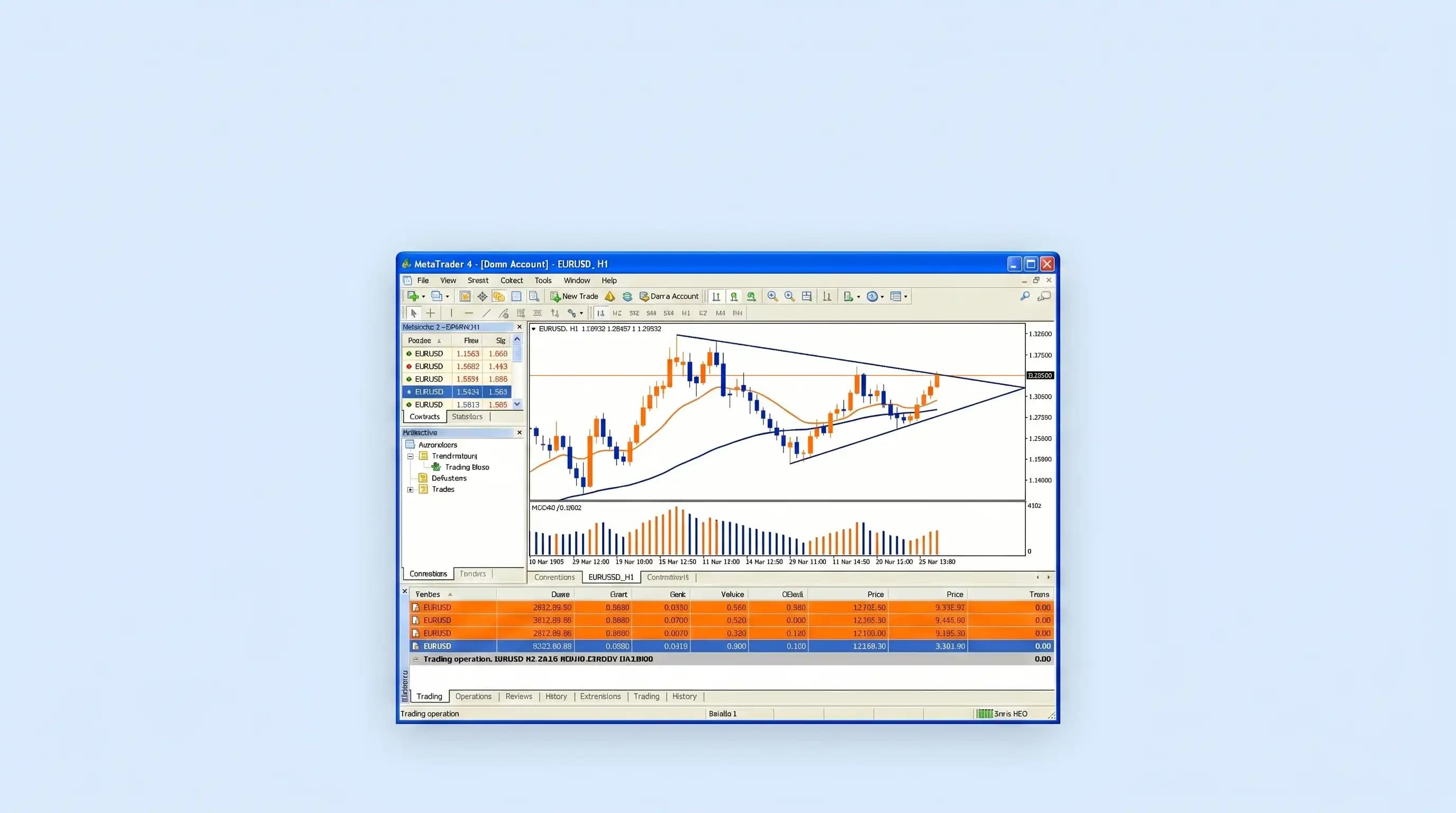
MT4 is a forex trading platform developed by MetaQuotes in 2005. This allows trading in both demo and real accounts. In both cases, real-time price data is supported and has good validity.
It is possible to trade all assets in the forex market, including currency pairs, commodities, cryptocurrencies, stocks, options and futures in MT4, and each broker can trade all or part of them according to their business policies. The technical analysis tools in this platform are almost complete and include things such as various indicators, trend lines, Fibonacci levels, support and resistance lines and many others.
Since this trading software was introduced in the early 2000s, it is not surprising that its environment is so old that it does not attract the user's attention at first glance. But despite its old and not very attractive appearance, it has advanced features that attract the attention of every audience. Among other things, this platform has the possibility of using the MQL4 programming language, which allows users to program their custom indicators and automatic robots by coding in this format and use.
MT4 supports 9 timeframes and 4 pending order types, and uses the MQL4 programming language for custom indicators and automated trading robots.
MetaTrader 5 (MT5)
The latest version of the MetaTrader platform is MT5, which is a completely different version from 4 and is not considered an upgrade, but another version with different features that can be said to be designed for traders with a different taste.
This platform was developed in 2010 by MetaQuotes. According to the company, the designing and production of this platform took 3 years, which is significant compared to version 4, which took only 20 months.
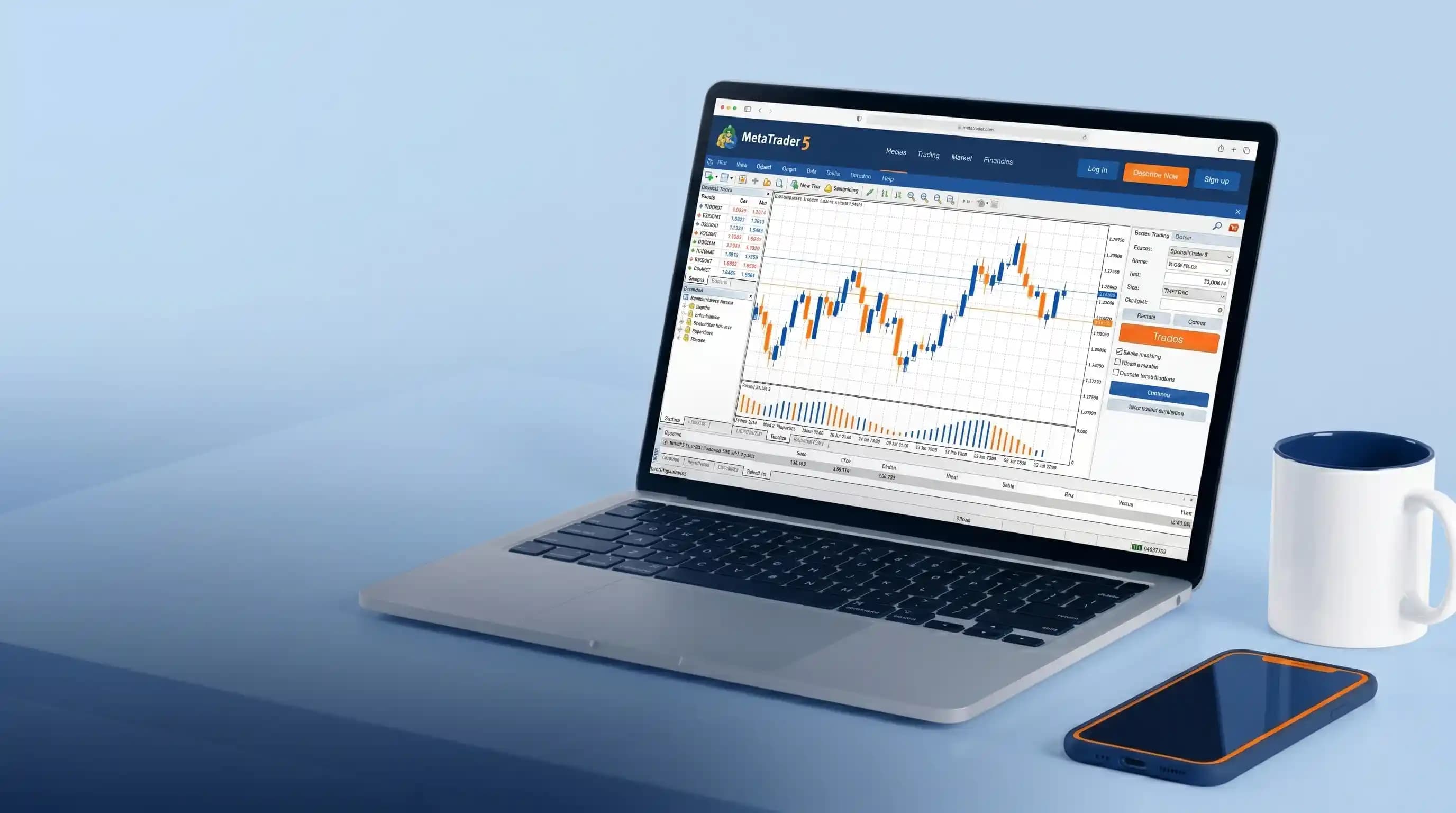
MT5 supports 21 timeframes, 6 pending order types, multi-strategy backtesting, and includes a built-in economic calendar for fundamental analysis alongside chart data.
MT4 vs MT5 vs cTrader: Platform Comparison
| Feature | MT4 | MT5 | cTrader |
|---|---|---|---|
| Developer | MetaQuotes | MetaQuotes | Spotware Systems |
| Release Year | 2005 | 2010 | 2011 |
| Timeframes | 9 | 21 | 26 |
| Pending Order Types | 4 | 6 | 6 |
| Programming Language | MQL4 | MQL5 | cAlgo (C#) |
| Backtesting | Single-strategy | Multi-strategy | Single and multi-strategy |
| Market Depth (Level 2) | No | No | Yes |
| Built-in Economic Calendar | No | Yes | Yes |
| Asset Coverage | Forex, commodities, some CFDs | Forex, stocks, commodities, futures, CFDs | Forex, CFDs, commodities |
| Best Suited For | Beginners, manual traders | Algorithmic traders, multi-asset traders | Scalpers, ECN traders |
For scalpers in particular, the Level 2 pricing on cTrader is a genuine edge. It shows the full order book depth, not just the best bid and ask, which means you can see where liquidity is sitting before you enter a trade. MT4 and MT5 do not offer this.
cTrader
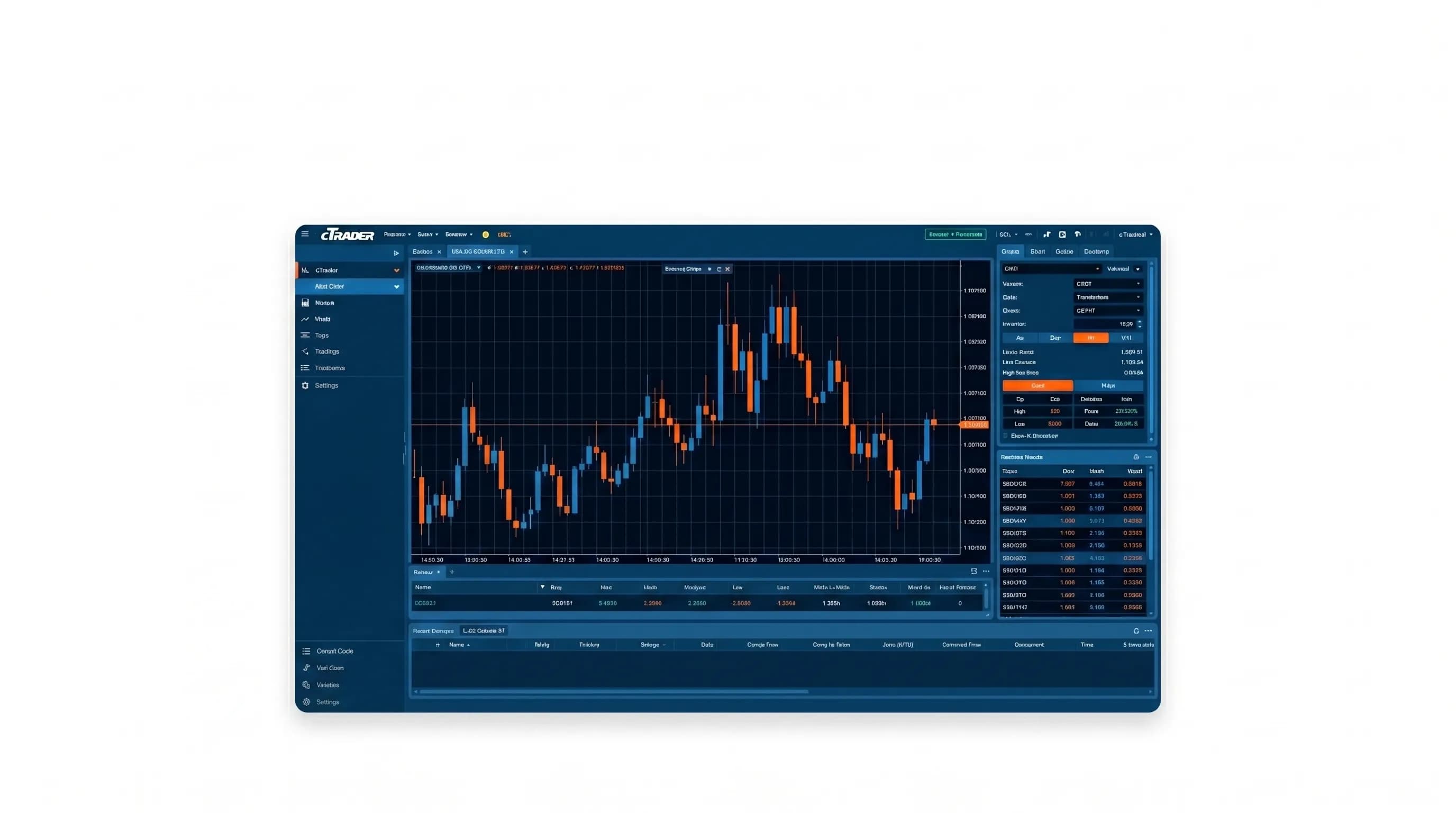
cTrader by Software Systems Ltd. designed and developed in the UK. This platform was initially designed with ECN trading accounts, so due to the speed and accuracy of executions, over time, it became common among traders particularly scalpers.
The second level pricing on this platform has made the traders have a good outlook of the market depth so the price movement is more transparent for them. In addition, it is possible to evaluate trading strategies on this platform and every trader can test his strategy as well as his designed robot in this software.
New appearance of this platform compared to MetaTrader 4 and 5 has made it popular with many traders, especially beginners. The technical analysis tools of this platform are more user-friendly and traders can easily analyze and annotate their desired chart using features.
cTrader displays Level 2 market depth pricing, which shows the full order book rather than just the best available bid and ask, giving traders a clearer picture of where liquidity sits before entering a position.
How Experienced Traders Use Platforms Beyond the Chart
Most beginners use a trading platform only to open and close trades. Experienced traders use it as the foundation of a wider system.
People use automated trade monitoring a lot. Some traders make their scripts that work on a Virtual Private Server (VPS) and get information from their platforms data feed. The script looks at the charts all the time. When it sees what it is looking for it sends a message to the traders phone or a private group usually using an app like Telegram. The trader looks at the message. Decides if they want to do something. The platform takes care of doing the trade. The script takes care of looking at the charts, for the trader.
This approach solves a real problem: gold and other instruments move during Asian and London sessions, often at hours when most traders are not at their screens. A monitoring system means those setups are not missed simply because no one was watching.
The platform you choose affects whether this kind of setup is possible. MT5 and cTrader both support external connections and third-party tools. MT4 supports this too, though its older architecture limits what developers can build on top of it. For traders who plan to grow into algorithmic tools or automation, the platform choice made at the beginning matters more than most beginners expect.
How to Choose the Right Trading Platform
The platform you choose should match how you actually trade, not just what sounds good on paper.
If you are still learning about price action and testing strategies and getting used to reading charts then the MT5 platform is a good place to start. It has 21 timeframes, built-in economic calendar that shows what is happening in the economy, which is a big help. The MT5 also lets you test more than one strategy at a time using old data, which is really useful. You can try out a setup, on historical data before you use real money, which matters more than most beginners expect. MT5 also covers a wide range of instruments, so as your focus shifts from currency pairs to gold or indices, the platform moves with you.
If your main market is gold (XAU/USD) and your trading style involves fast entries at key levels, cTrader is worth considering from the start. It was designed for ECN execution, which means orders are filled with minimal delay and at transparent prices. The Level 2 pricing on cTrader shows the full order book depth, not just the best available price. For a trader entering a scalp position at a liquidity level, that visibility changes how you read the entry. A 70-pip stop loss can still get triggered before price naturally reaches it if spread conditions during a news event are poor. Platform execution quality is not a minor detail.
If you want to build automated systems or custom indicators you can do this with MT5 and cTrader. They both let you do development. MT5 uses something called MQL5. This has a community of developers and a lot of documentation. CTrader uses cAlgo, built on C#, which is more familiar to traders with a programming background.
One thing that experienced traders do is they try out a platform before they start using it. They open a demo account. Use their strategy for a few weeks. You can get a demo account on MT5 or cTrader. These accounts use real market data. So you can see how things work before you put any money in. You can see how the platform handles things when the market is moving fast. You can see how your orders are executed and what the spreads are like. MT5 and cTrader are both good, for this. You can try out MT5 or cTrader without risking any money.
The platform choice is personal. But it should be made based on how you trade, not on which one looks better at first glance.
Advantages and disadvantages of using smartphone trading platforms
Using a mobile phone to carry out trading activities has advantages that have made it common among traders. But when we look at the feedback of using this tool to make transactions, we realize that despite its attractive appearance, there are also disadvantages.
Easy access to the price chart and trading platform at any place and time, the possibility of monitoring and managing open positions, as well as checking alerts to enter the positions are some the advantages that make using phones attractive for trading activities.
However, according to many professional traders, it is not recommended to trade using a phone because trading requires a very high concentration and it is obvious a trader who is in a public place (for example in the bus, subway, office, etc.) does not have the required level of concentration. Therefore, the trader would make mistake at any of the trading steps and there is no need to say how difficult and even impossible it can be to compensate. Of course, this does not mean that the trader should not use the features of the mobile phone for trading in the forex market, but the type of use of the smartphone in conducting this type of transactions should be limited.
In this regard, it is recommended not to use smartphone to enter a transaction or even exit positions, but it can be used to monitor the market, pay attention to predetermined alarms and perform some analysis.
Important points in account management on the trading platform
The key point for success in the market is capital management. It is safe to say without capital management even though having the best and most profitable trading strategies, sooner or later the trader will have to leave this market with the loss of his money. Therefore, almost all trading platforms display some amounts such as account balance, equity, free margin, etc. to monitor the status of the trading account which the account status is monitored by them.
During a trade, it's essential to monitor your free margin closely to ensure it doesn't drop too low. when it approaches zero, it's a clear signal that your risk exposure is too high.
To prevent this scenario, consider several key points: first, carefully manage the number of open transactions to avoid over-leveraging your account; second, adjust your trade sizes so that they align with robust account management principles. Maintaining strict adherence to these guidelines is fundamental for steady account growth and long-term profitability.
Frequently Asked Questions About Forex Trading Platforms
Which platform is best for trading gold (XAU/USD)?
cTrader tends to suit gold traders who rely on fast entries at key levels, since its Level 2 pricing shows the full order book depth around those zones. MT5 works well too, especially if you want a built in economic calendar alongside your charts, since gold reacts strongly to news events. Many traders who focus on XAU/USD scalping setups prefer cTrader for the execution speed during volatile sessions, but either platform can work depending on your strategy.
Can I trade forex using only my smartphone?
You can monitor charts, check alerts, and manage open positions from your phone, but most experienced traders avoid opening or closing trades this way. Trading needs focus, and a phone makes it easy to make a rushed decision while distracted. Use your phone to stay informed, not to execute trades.
Do I need coding skills to automate trade alerts?
No, but it helps if you want to build your own system. MT5 uses MQL5 and cTrader uses cAlgo, which is based on C#. If you have any background in Python, PHP, or similar languages, building a script that monitors charts on a VPS and sends alerts to your phone or Telegram is achievable. Without coding experience, you can still use pre built indicators and signal services, though you lose the ability to customize what the system looks for.
What is the difference between MT4, MT5, and cTrader for beginners?
MT4 is the simplest to learn and has been around the longest, so there are countless tutorials and a large community. MT5 builds on this with more timeframes, more order types, and a built in economic calendar, which is useful once you start paying attention to fundamental analysis. cTrader has a more modern interface and is often easier for beginners to navigate visually, though it was originally built with ECN and scalping in mind.
Does the choice of platform affect my trading costs?
The platform itself does not set your spread or commission, your broker does. But the platform affects execution quality, and execution quality affects your real cost. A tight spread means little if your stop loss gets filled with significant slippage during a news event. Test your broker's execution on a demo account before committing real capital, regardless of which platform you choose.
Can I switch platforms later without losing my trading history?
Switching platforms means starting fresh in terms of trade history and saved chart setups, since MT4, MT5, and cTrader do not share data between each other. Your broker account itself usually stays the same, you are just connecting through a different interface. If you are still testing strategies and have not committed significant capital, switching early costs you little. The friction increases once you have built custom indicators, saved templates, or grown used to one platform's order execution speed.
Conclusion
People spend way too long picking between MT4, MT5, and cTrader, then end up using maybe a tenth of what the platform actually does. All three will open and close a trade fine. Where it actually matters is later, when you hit something the platform either handles or does not.
A stop loss that triggers cleanly on a quiet afternoon tells you nothing. The real test is what happens during something like a Powell press conference, when spreads widen and a 70 pip buffer suddenly is not enough. Demo accounts help here, but only if you trade them properly, same size, same rules, no resetting the balance the moment it goes wrong.
For gold traders, cTrader's order book depth changes how you read a level near a round number. If you are still building your price action skills across different pairs, MT5's extra timeframes and built in calendar might matter more day to day.
Either way, try both on demo. Not for an afternoon, for a few weeks. Trade them the way you actually plan to trade, and let that tell you which one fits.